Collie help center
Collie support articles for pastors and church staff
Set up Collie, add approved church context, prepare a church AI adoption plan, train leaders on a church AI policy, review Collie with your church board, train staff to review AI drafts, connect Planning Center, draft church announcements in Collie, run a church newsletter workflow in Collie, use a church bulletin draft checklist, follow a church communications approval workflow, set up church agents in Collie, use a church agent workflow checklist, prepare a discipleship follow-up workflow in Collie, handle church phone messages in Collie, run a church front office intake workflow, prepare board packets in Collie, follow a church board packet workflow, run executive pastor weekly planning in Collie, use a church staff meeting brief checklist, create a ministry report draft in Collie, review board packet drafts in Pending, use Pending approvals, draft visitor follow-up, repurpose sermons safely, troubleshoot voice transcription, and manage billing without losing the guardrails that protect ministry work.
Reviewed by FlockConnect · Updated June 2, 2026
Direct answer
What does Collie support cover?
Collie support covers setup, approved church context, Pending approvals, Planning Center-aware workflows, visitor follow-up, church communications, board prep, staff review training, church AI policy, billing, and safe sermon repurposing from existing sermons. The support center keeps the product boundaries visible: no sermon generation, no counseling-content processing, no AI summaries about specific children, no writable financial actions, and no external action without human approval.
Collie product previews
See what pastors see after signup
Collie should be discoverable, but it should also be inspectable. These product views show the dashboard, chat, and Pending approval patterns users can expect.
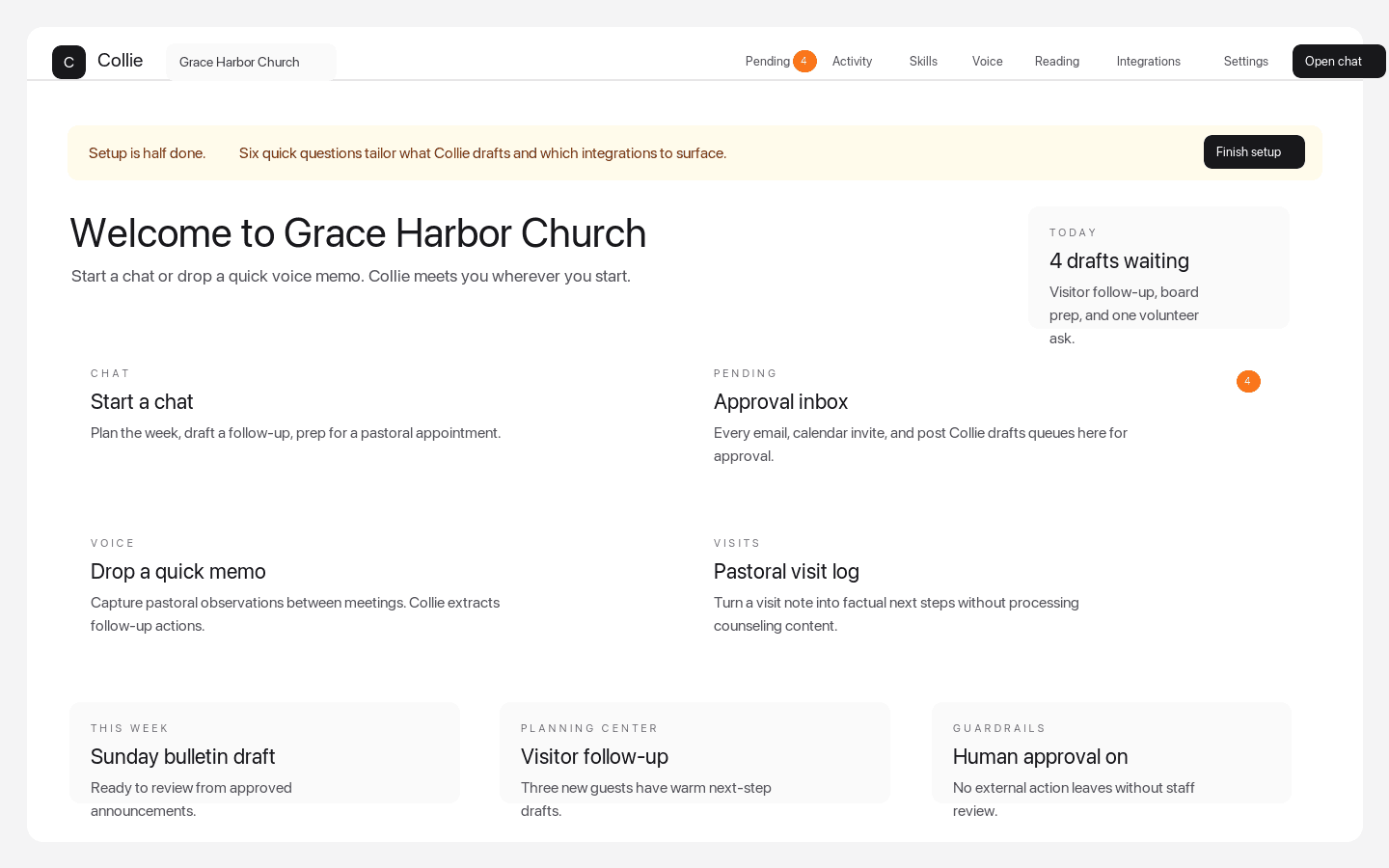
Dashboard quick actions
The weekly command center pastors see after signup
Dashboard quick actions put chat, Pending approvals, voice memos, visits, Planning Center-aware follow-up, and setup prompts in one church workspace.
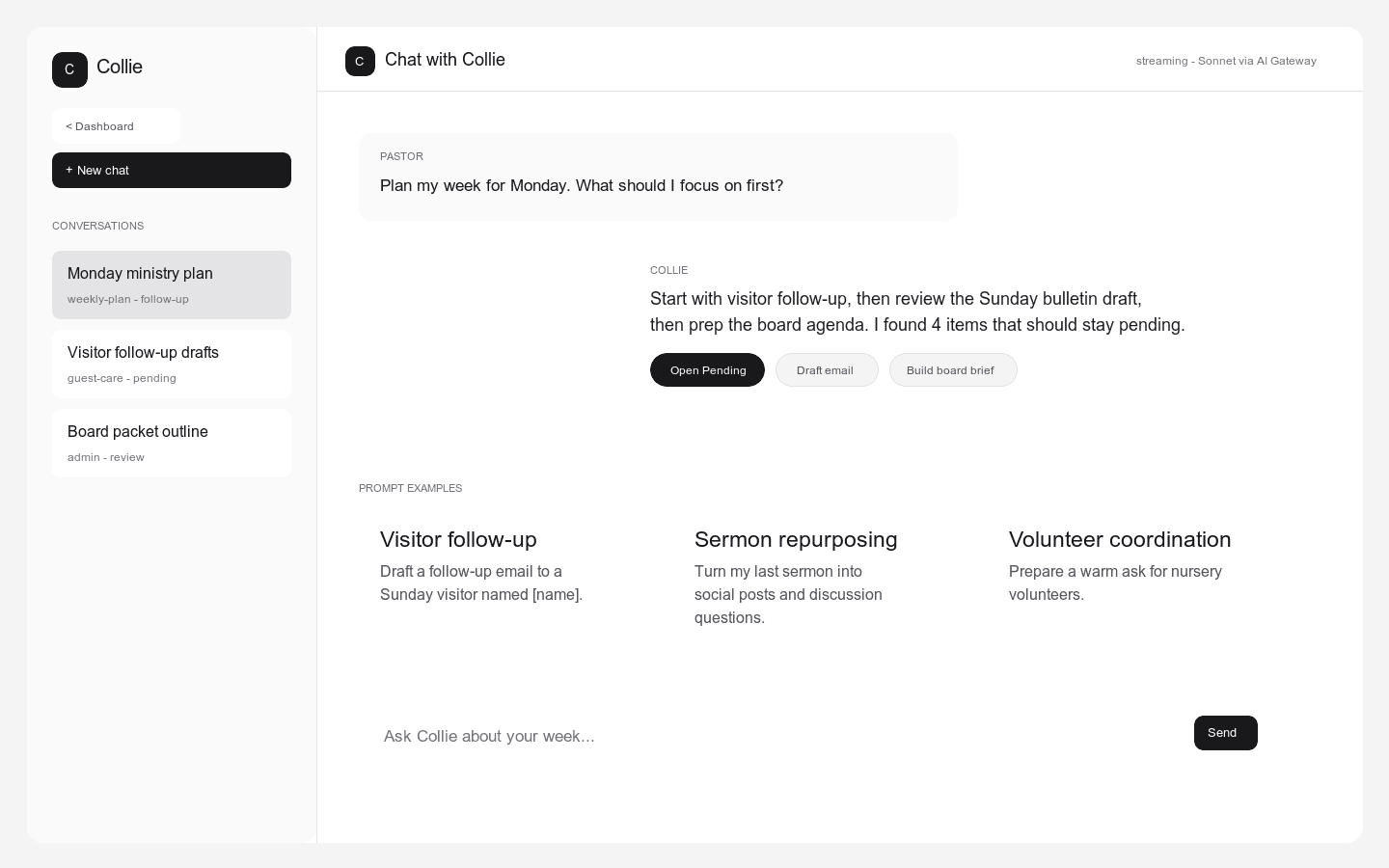
Chat prompt examples
A ministry chat surface with bounded starter prompts
Collie shows pastors practical starting points for visitor follow-up, sermon repurposing, volunteer coordination, weekly planning, and board prep.
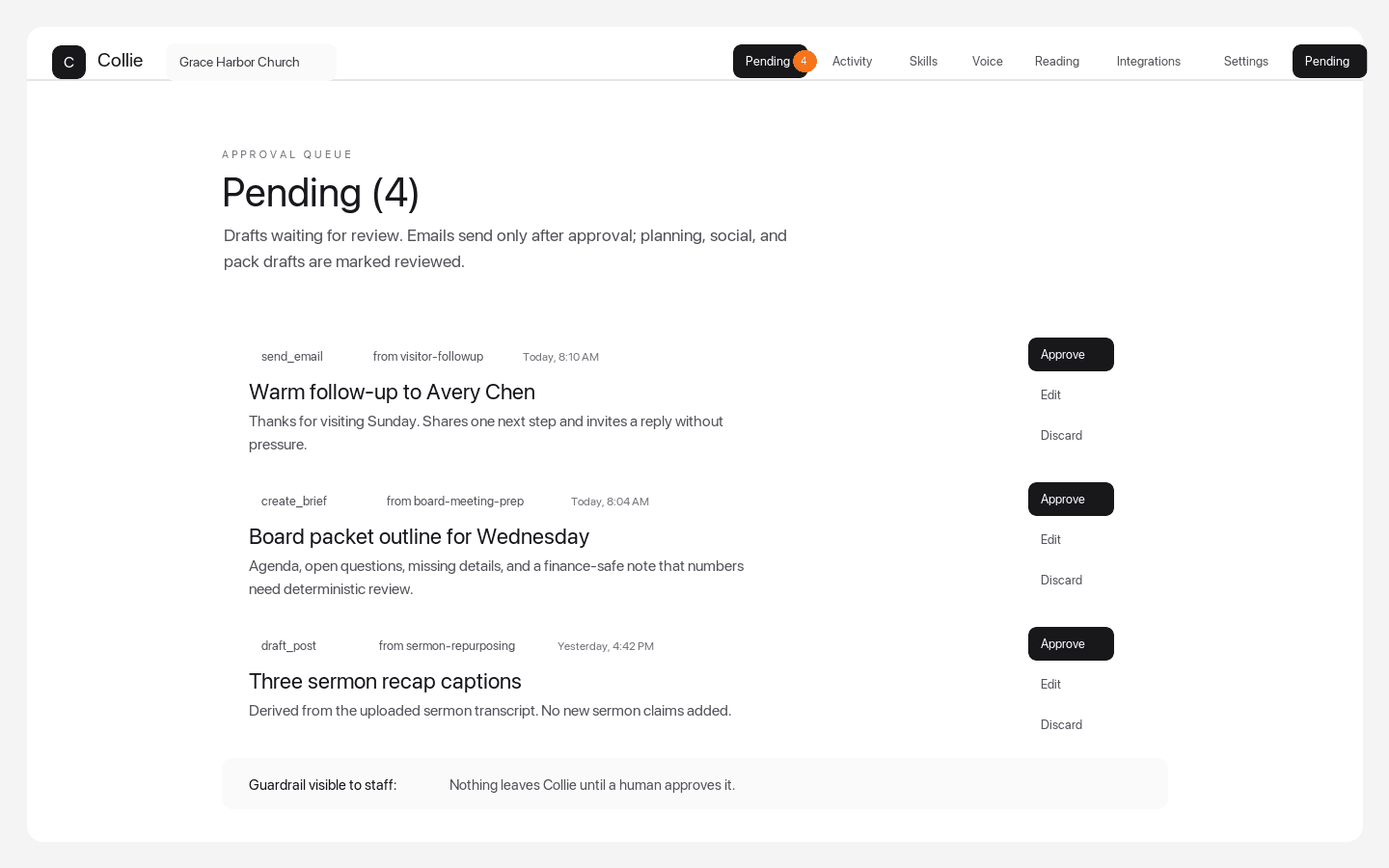
Pending approvals queue
Every external action stops for human review
Pending approvals make the product boundary visible: staff can approve, edit, or discard emails, board briefs, sermon repurposing outputs, and other drafted actions.
Get started with Collie
Collie get started guide
A practical Collie get started guide for pastors and church staff setting up a church AI assistant for safe ministry work.
Set up your church workspace
set up Collie church workspace
How to set up Collie church workspace settings, staff access, church context, approvals, and safe AI boundaries.
Invite church staff to Collie
invite church staff to Collie
How pastors and administrators invite church staff to Collie and assign safe review responsibility for AI-assisted ministry work.
Connect Planning Center to Collie
connect Planning Center to Collie
How to connect Planning Center to Collie so pastors and church staff can use approved church context in AI-assisted ministry workflows.
Use Pending approvals in Collie
Collie Pending approvals
How Collie Pending approvals keep church emails, calendar invites, social posts, and integration actions under human review.
Draft church announcements, newsletters, and bulletins in Collie
draft church announcements in Collie
How church communications teams use Collie to draft announcements, newsletters, bulletins, social captions, and human-approved church emails from approved context.
Draft visitor follow-up in Collie
draft visitor follow-up in Collie
How pastors and guest services teams draft visitor follow-up in Collie without duplicate messages or automatic sends.
Handle phone messages and guest intake in Collie
handle church phone messages in Collie
How church receptionists, administrators, and guest services teams use Collie for phone messages, voicemail follow-up, visitor intake, and Planning Center guest intake without auto-sending.
Set up church agents and discipleship follow-up in Collie
set up church agents in Collie
How pastors and ministry directors set up church agents in Collie for volunteer coordination, discipleship follow-up, pastoral handoffs, Planning Center-aware next steps, and Pending review.
Prepare board packets and staff meeting briefs in Collie
prepare board packets in Collie
How executive pastors prepare board packets in Collie, build staff meeting briefs, draft ministry reports, run a Planning Center board prep workflow, and review board packet drafts in Pending.
Repurpose sermons safely in Collie
sermon repurposing in Collie
How to use sermon repurposing in Collie while respecting the no-sermon-generation guardrail for pastors.
Troubleshoot voice transcription in Collie
Collie voice transcription troubleshooting
Troubleshooting steps for Collie voice transcription, sermon audio, meeting notes, keyterms, and reviewable ministry outputs.
Manage Collie billing and free trial
Collie billing and free trial
How churches manage Collie billing, free trial, subscription plans, cancellation, and billing portal access.
Add approved church context to Collie
add approved church context to Collie
How pastors and church staff add source-approved church context to Collie without exposing counseling notes, children data, or unreviewed ministry records.
Prepare church leaders for AI adoption
church AI adoption plan
A church AI implementation checklist and pastor AI rollout guide for boards, executive pastors, administrators, and ministry leaders evaluating Collie.
Train staff to review Collie drafts
train church staff to review AI drafts
How to train church staff on a human review workflow for church AI drafts, Pending approvals, source checks, and safe pastor assistant usage.
Create a church AI usage policy
create a church AI usage policy
A practical church AI policy guide for pastors, elders, and boards defining ethical AI for churches, approved workflows, prohibited content, and human review.
Review Collie with your church board
review Collie with your church board
A board-ready Collie review guide for pastor AI ethics, church AI boundaries, staff approval, data sources, and safe AI adoption.
Support that matches the product guardrails
Collie support content is written around the real operating model: approved church context, human-reviewed Pending approvals, no sermon generation, no counseling-content processing, no AI summaries about specific children, and read-only finance boundaries.