Collie get started guide
Set up a safe AI pastor assistant in one focused session
This guide walks pastors and church staff through the first setup steps: church workspace, staff invitations, approved context, Planning Center readiness, first drafts, and Pending approvals.
Collie product previews
See what pastors see after signup
Collie should be discoverable, but it should also be inspectable. These product views show the dashboard, chat, and Pending approval patterns users can expect.
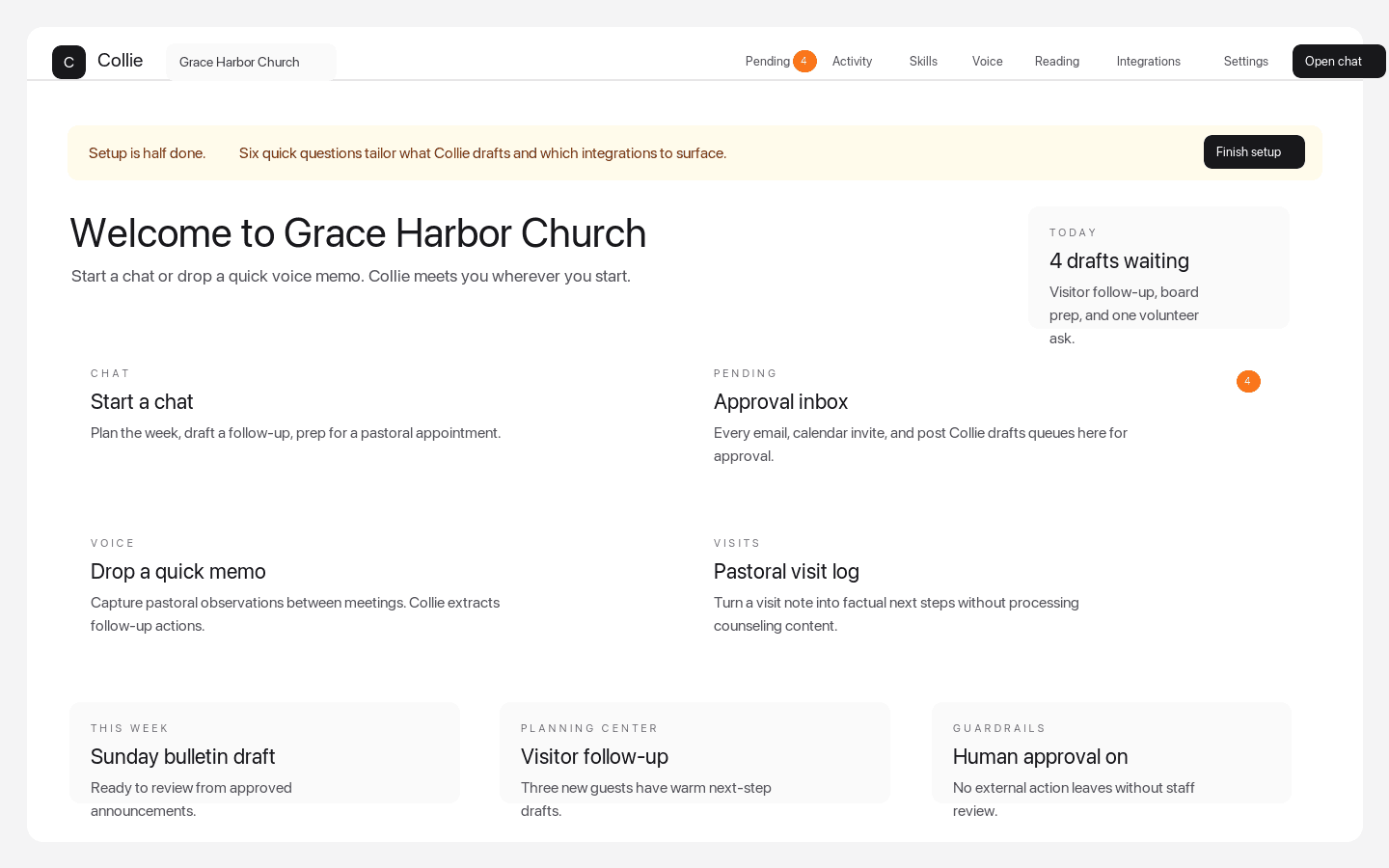
Dashboard quick actions
The weekly command center pastors see after signup
Dashboard quick actions put chat, Pending approvals, voice memos, visits, Planning Center-aware follow-up, and setup prompts in one church workspace.
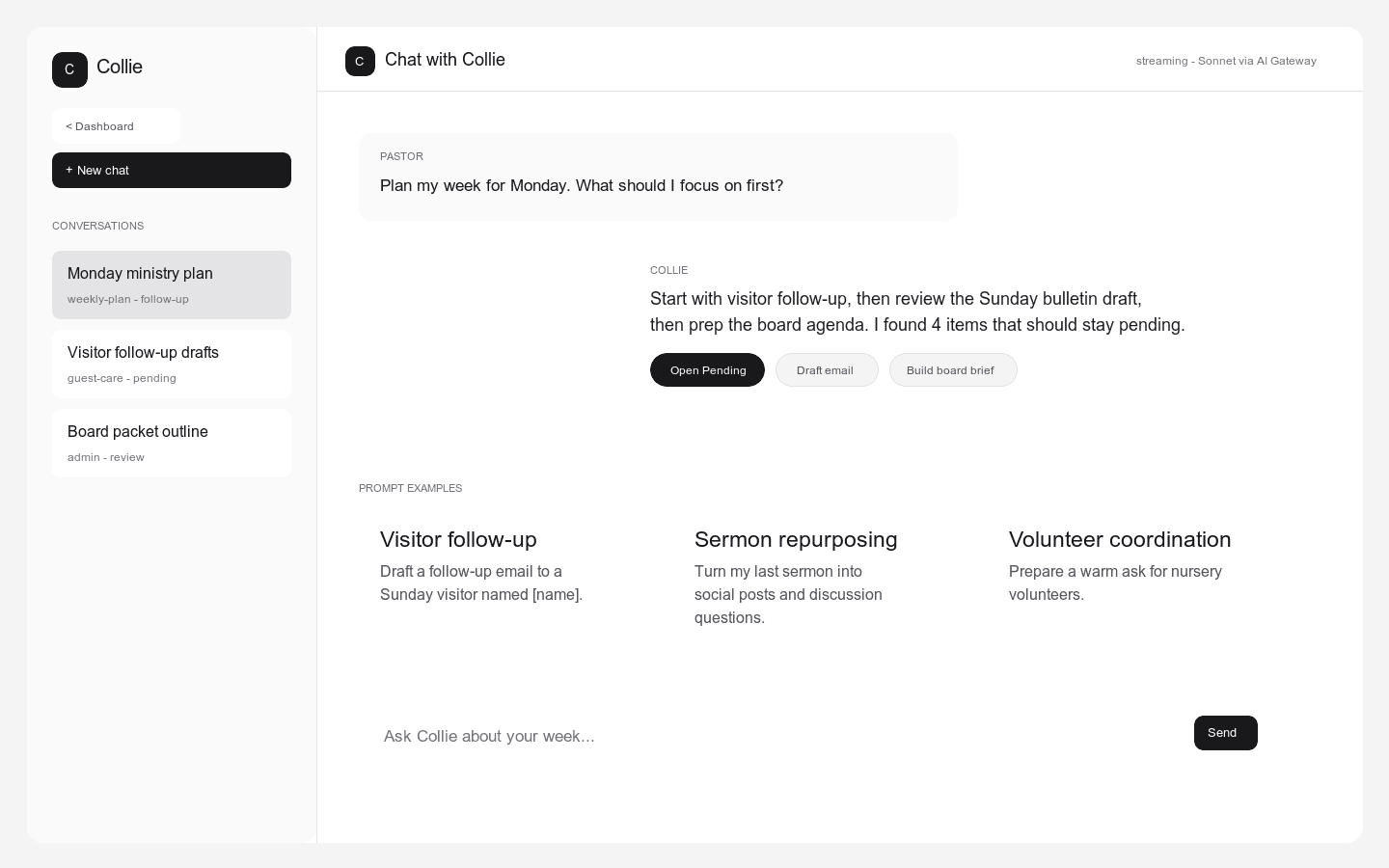
Chat prompt examples
A ministry chat surface with bounded starter prompts
Collie shows pastors practical starting points for visitor follow-up, sermon repurposing, volunteer coordination, weekly planning, and board prep.
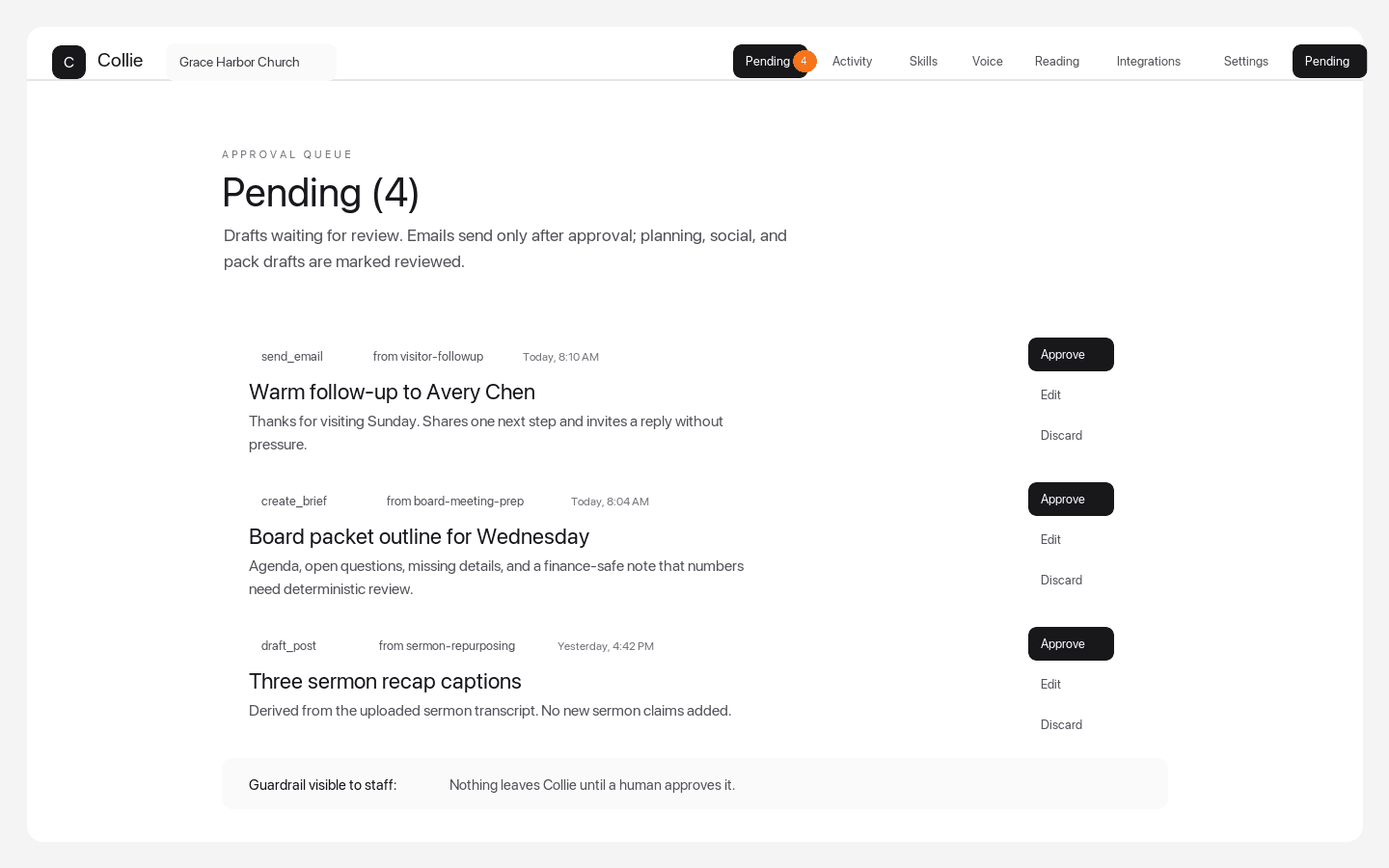
Pending approvals queue
Every external action stops for human review
Pending approvals make the product boundary visible: staff can approve, edit, or discard emails, board briefs, sermon repurposing outputs, and other drafted actions.
Setup sequence
- 1. Create the church workspace: Sign up for Collie, choose the church organization, and name the workspace so staff recognize it as the shared ministry workspace.
- 2. Invite the staff who approve work: Invite pastors, administrators, communications staff, and ministry leaders who should review drafts and approve external actions.
- 3. Add approved church context: Add safe reference material such as church style guidance, ministry templates, public church information, approved workflow notes, and source-approved church AI assistant context.
- 4. Prepare the church AI adoption plan: Name the first workflows, church AI policy, prohibited content, human approvers, staff training path, board review path, and success metrics before expanding Collie beyond the pilot.
- 5. Connect Planning Center when ready: Use the integration flow when your church account has permission, then start with read-only preparation workflows and human-reviewed actions.
- 6. Draft one low-risk ministry workflow: Ask Collie for a short church announcement, visitor follow-up draft, staff meeting brief, or sermon repurposing output from existing material.
- 7. Approve from Pending: Open Collie Pending approvals, review the action, edit if needed, then approve or discard before anything leaves the platform.
First workflows to try
Draft visitor follow-up in Collie
Use approved visitor context, ask for a warm and brief follow-up, check for duplicate messages, and approve from Pending.
Repurpose sermons safely in Collie
Start from an existing sermon recording, transcript, or outline, then transform it into recap bullets, social captions, devotional follow-up, or small-group questions.
Use Collie Pending approvals
Review every external email, calendar invite, social post, or integration action before it leaves the workspace.
Add approved church context to Collie
Build a trusted source set from public facts, templates, style guidance, and workflow notes while keeping sensitive pastoral content out.
Prepare church leaders for AI adoption
Use a church AI implementation checklist to choose pilot workflows, document guardrails, and define how leaders will measure safe rollout.
Create a church AI usage policy
Define ethical AI for churches with approved workflows, prohibited content, source-approved context, human reviewers, and external-action approval.
Review Collie with your church board
Prepare a board-ready decision packet covering pastor AI ethics, church AI boundaries, data sources, Pending approvals, and safe AI use in churches.
Train staff to review Collie drafts
Teach a human review workflow for church AI drafts: source, facts, tone, recipient, channel, and guardrails before approval.
Guardrails to keep visible
Collie does not generate sermons. Use sermon repurposing in Collie only from existing sermons, outlines, recordings, or transcripts.
Collie does not process counseling, confessional, crisis, or abuse content.
Collie does not derive AI summaries about specific children and does not make writable financial actions.
Every external action should wait in Collie Pending approvals for human review.
Questions
What is the fastest way to get value from Collie?
Start with a low-risk workflow such as visitor follow-up, a church announcement, a staff meeting brief, or sermon repurposing from existing material.
Do I need Planning Center connected before using Collie?
No. You can start with approved church context and simple drafts first. Connect Planning Center when the church account and permissions are ready.
Will Collie send messages automatically?
No. Collie queues external actions in Pending approvals so a human can review, edit, approve, or discard the work.
What content should not go into Collie?
Do not enter counseling, confessional, crisis, or abuse content. Do not ask Collie to summarize specific children, generate sermons, or make writable financial actions.
How should a church roll out Collie to staff?
Start with a pastor AI rollout guide: pick one or two low-risk workflows, add approved context, train staff on Pending approvals, and review results before expanding.
Should a church board review Collie before rollout?
Yes. The board or elder team should review the church AI policy, the approved source set, what churches should never automate with AI, and the human review workflow before a broad rollout.