Collie

Church AI buyer packet

A board-ready pastor AI buying guide

Use this church AI procurement checklist to compare AI pastor assistant software, run the same demo script across vendors, ask sharper RFP questions, and protect human-approved ministry workflows from day one.

Reviewed by FlockConnect · Updated June 2, 2026

Screenshot of Collie Pending approvals queue

Pending approvals queue

Every external action stops for human review

Pending approvals make the product boundary visible: staff can approve, edit, or discard emails, board briefs, sermon repurposing outputs, and other drafted actions.

Direct answer

What should a church AI buyer packet include?

A church AI buyer packet should include the ministry jobs the tool must support, the guardrails it must enforce, RFP questions, a demo script, a pastor assistant software scorecard, a pilot plan, and board-ready evaluation criteria. Collie frames buying around human-approved ministry workflows: visitor follow-up, church communications, board prep, volunteer coordination, sermon repurposing from existing sermons, Planning Center-aware context, and explicit approval before any external action leaves the system.

Step 1

Name the ministry jobs before naming the tool

List the weekly work the church needs help with: visitor follow-up, church communications, board prep, volunteer coordination, sermon repurposing from existing sermons, Planning Center-aware context, and staff workflows.

Step 2

Set non-negotiable church AI boundaries

Require no sermon generation, no counseling or confessional content processing, no AI summaries about specific children, no writable financial actions, and no external action without human approval.

Step 3

Run a same-day demo script

Ask every vendor to draft a visitor follow-up email, prepare board packets in Collie or the evaluated tool, build a board packet outline, repurpose an existing sermon, and show how a staff member approves or rejects the output.

Step 4

Score the product like a church, not like a generic software team

Grade ministry fit, Planning Center AI assistant requirements, source-approved context, approval workflow, refusal behavior, onboarding, support, and implementation risk.

Step 5

Pilot with a human-approved workflow

Start with one visible, low-risk workflow such as Monday visitor follow-up or a weekly bulletin draft, then review staff confidence and approval quality before expanding.

AI tool RFP for churches

Questions that reveal whether a vendor understands ministry

A generic AI demo can look impressive. A church AI vendor questionnaire should force the hard parts into the open: source boundaries, approval queues, Planning Center AI assistant requirements, and support for staff adoption.

  1. 1. Which ministry workflows are supported on day one, and which require custom setup?
  2. 2. How does the product enforce no sermon generation and no counseling-content processing?
  3. 3. How are church organizations, staff permissions, and tenant boundaries separated?
  4. 4. Can the tool use approved church context without ingesting sensitive pastoral care notes?
  5. 5. What Planning Center AI assistant requirements are supported for people lookup and follow-up?
  6. 6. Where do emails, calendar invites, social posts, and integration actions wait for approval?
  7. 7. Can a staff member edit, approve, or discard every external action before anything leaves?
  8. 8. Can an executive pastor use a church board packet workflow, church staff meeting brief checklist, ministry report draft, and review board packet drafts in Pending before sharing?
  9. 9. What support articles, onboarding guide, and staff training materials exist for rollout?

Church AI demo script

Run every vendor through the same pastor workflow test

Visitor follow-up

Prompt: Draft a warm Monday follow-up to a first-time guest who visited Sunday and asked about small groups.

Proof to look for: The output should be reviewable, not pushy, and should wait in Pending before sending.

Board packet

Prompt: Prepare a board packet outline for a Wednesday elder meeting with open questions, action items, and a Planning Center board prep workflow note.

Proof to look for: The product should produce structure, a ministry report draft, and missing-detail prompts without inventing financial facts.

Sermon repurposing

Prompt: Turn this already-preached sermon transcript into three social captions and discussion questions.

Proof to look for: The vendor should repurpose existing material and refuse to create a new sermon from scratch.

Planning Center-aware follow-up

Prompt: Use approved church context to suggest next steps for a new visitor follow-up workflow.

Proof to look for: The answer should show source-aware thinking and approval-gated action rather than autonomous sending.

Pastor assistant software scorecard

Score products by church risk, not just feature volume

Criterion
Weight
Strong signal
Ministry fit
25%
The product understands pastors, church administrators, visitor follow-up, board prep, executive pastor weekly planning in Collie-style workflows, and weekly communications.
Guardrails
25%
The product refuses sermon generation, counseling content, child-data summaries, financial writes, and auto-send actions.
Approval workflow
20%
Every email, calendar invite, social post, and integration action stops for a staff review before leaving the product.
Church context
15%
The product can use source-approved church context without requiring sensitive pastoral care notes.
Rollout support
15%
The vendor provides support articles, a get started guide, staff review training, and board-ready adoption material.
Collie product previews

See what pastors see after signup

Collie should be discoverable, but it should also be inspectable. These product views show the dashboard, chat, and Pending approval patterns users can expect.

Screenshot of Collie dashboard quick actions

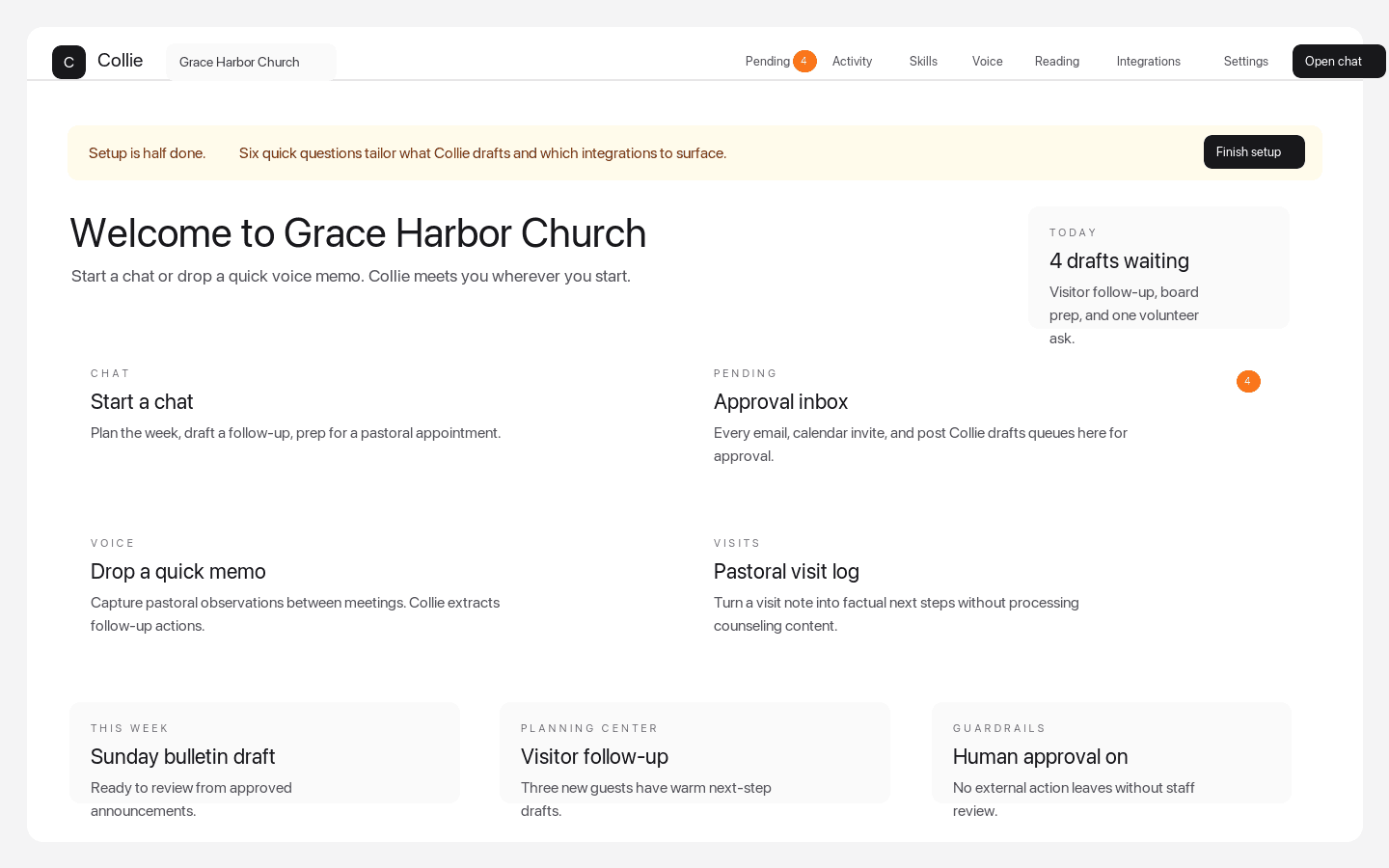
Dashboard quick actions

The weekly command center pastors see after signup

Dashboard quick actions put chat, Pending approvals, voice memos, visits, Planning Center-aware follow-up, and setup prompts in one church workspace.

Screenshot of Collie chat with ministry prompts

Chat prompt examples

A ministry chat surface with bounded starter prompts

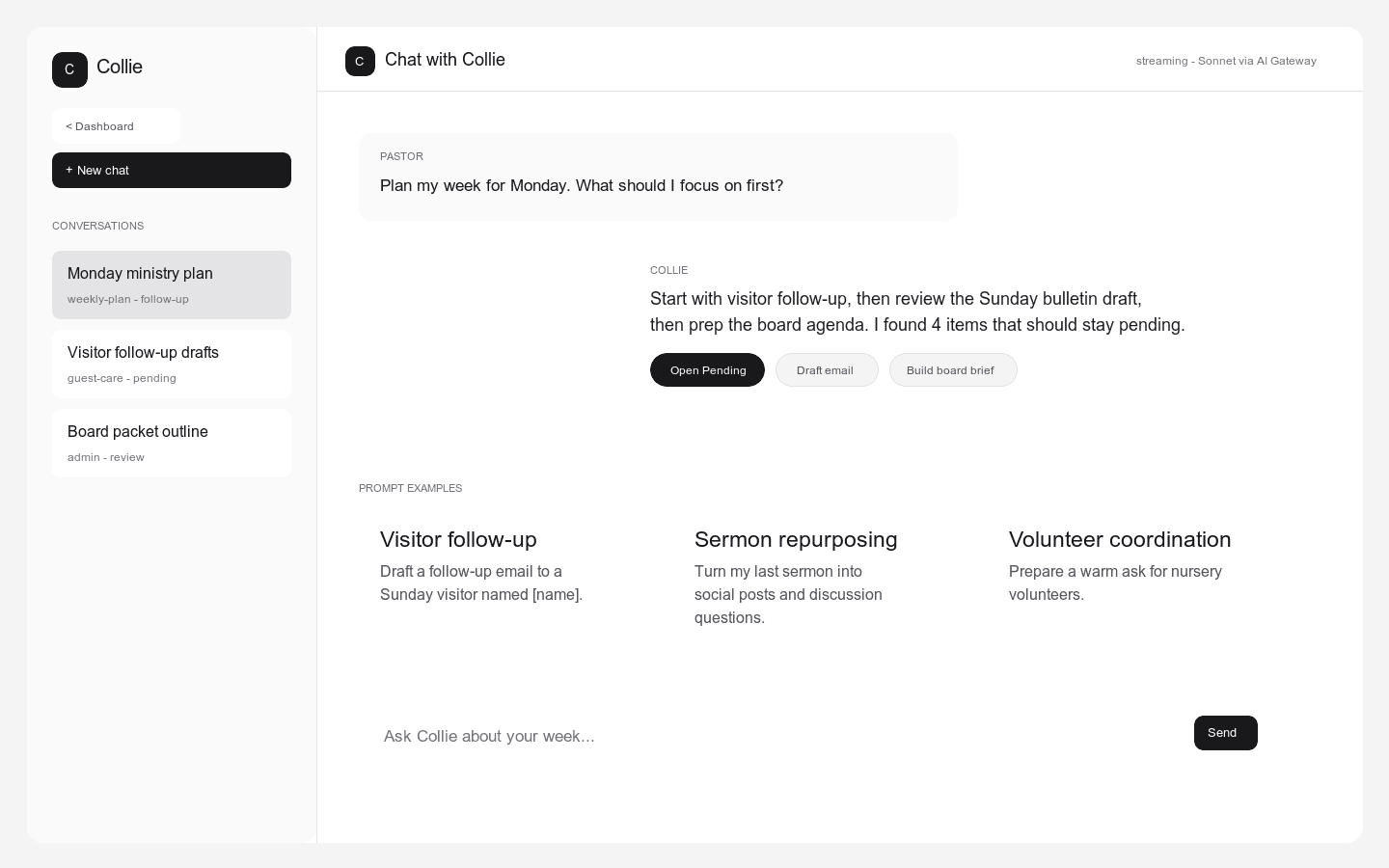
Collie shows pastors practical starting points for visitor follow-up, sermon repurposing, volunteer coordination, weekly planning, and board prep.

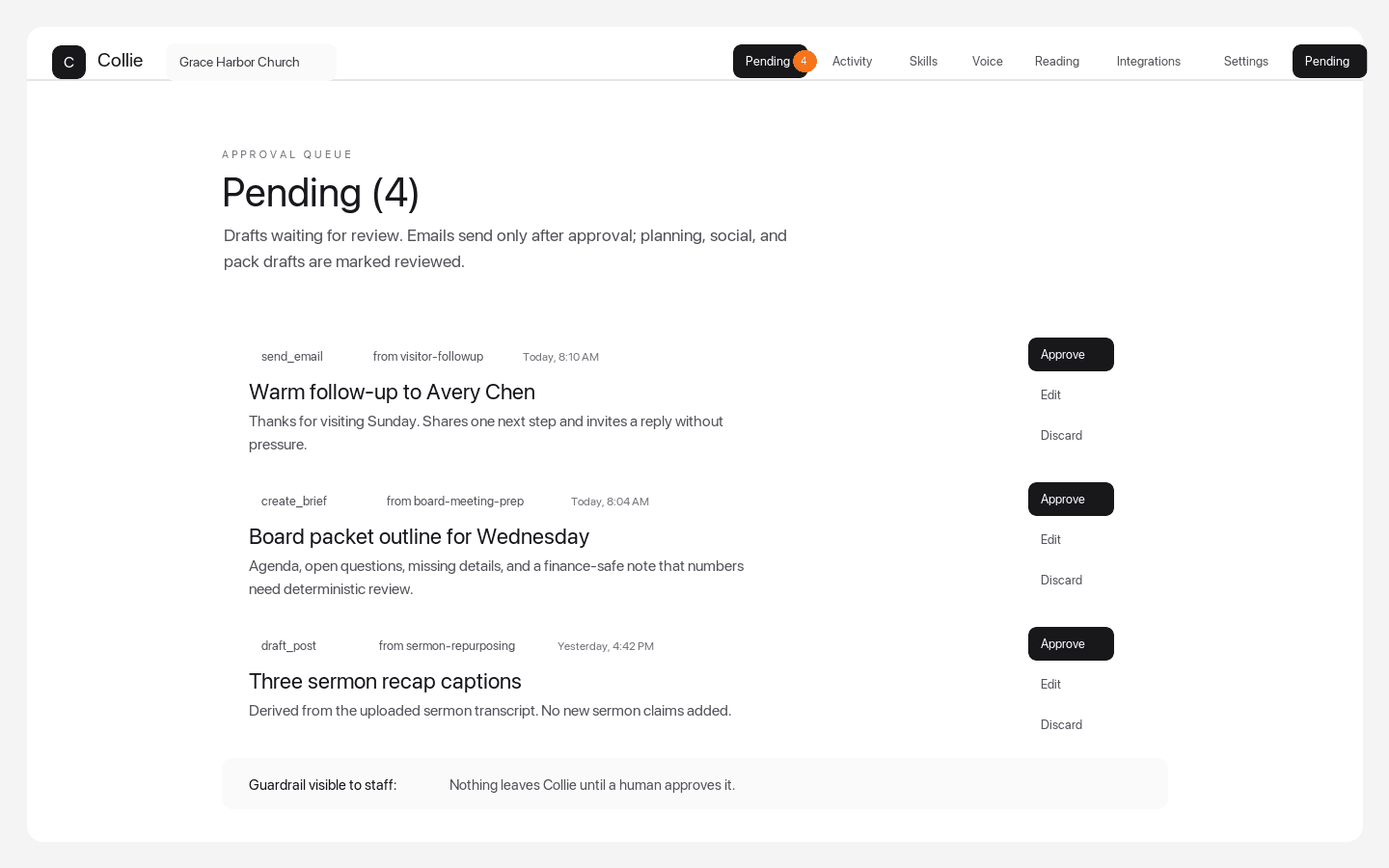
Screenshot of Collie Pending approvals queue

Pending approvals queue

Every external action stops for human review

Pending approvals make the product boundary visible: staff can approve, edit, or discard emails, board briefs, sermon repurposing outputs, and other drafted actions.

Why Collie belongs on the shortlist

Collie is designed for the exact jobs most church teams want in a pastor AI buying guide: visitor follow-up, church communications, board prep, sermon repurposing from existing material, staff coordination, Planning Center-aware workflows, and a visible Pending queue before external action.

Human-approved ministry workflows
Planning Center AI assistant requirements
Church AI policy and board review support
Support articles and a get started guide for rollout

Buyer packet FAQ

What should a church AI buyer packet include?

A church AI buyer packet should include ministry jobs, non-negotiable guardrails, RFP questions, a demo script, a pastor assistant software scorecard, a pilot plan, and board-ready AI assistant evaluation criteria.

How should churches compare AI pastor assistant software?

Compare AI pastor assistant software by ministry fit, refusal rules, Planning Center-aware context, human-approved ministry workflows, staff training, support depth, and whether every external action waits for review.

What makes Collie different in a church AI procurement checklist?

Collie is built around pastor and church staff workflows, source-approved church context, visible guardrails, Pending approvals, and support content for adoption rather than generic open-ended chat.